
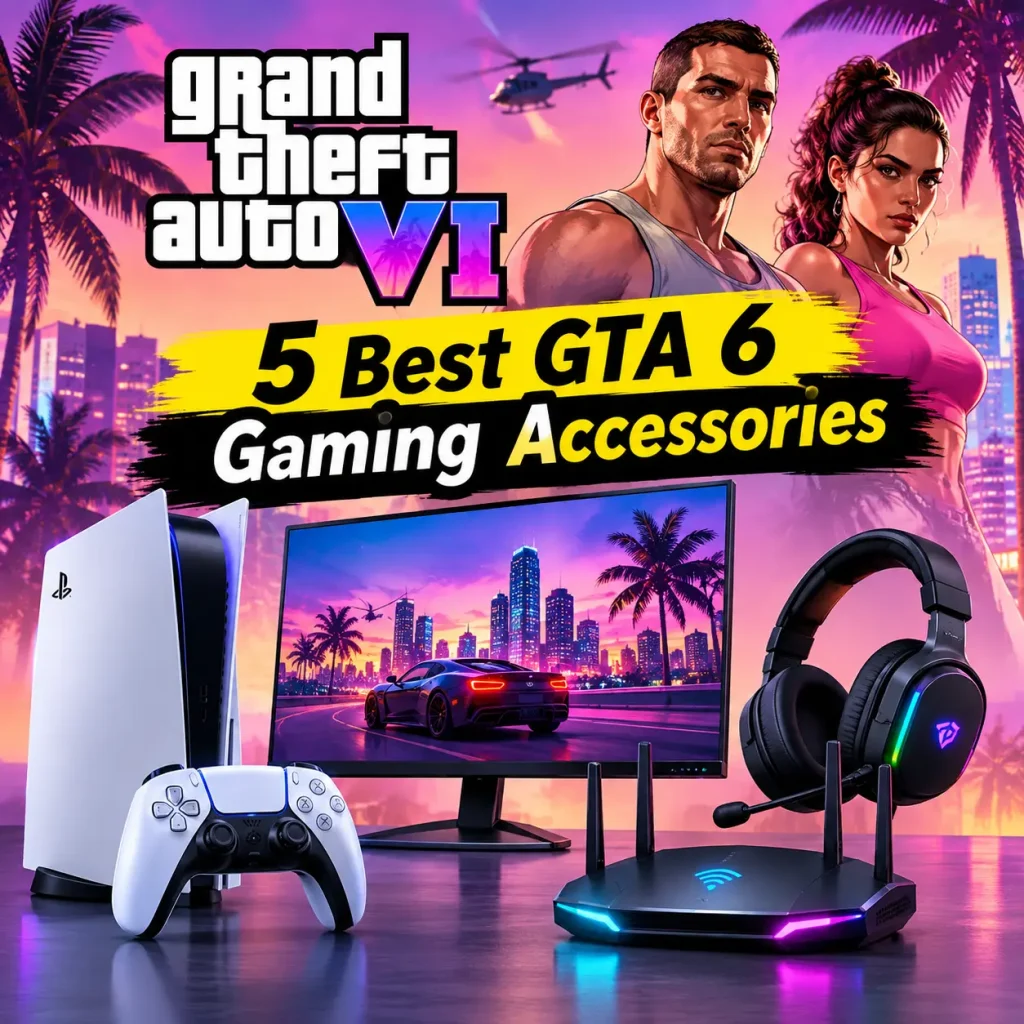
GTA 6 Gaming Accessories: 5 Essential Equipment for the Ultimate Gaming Setup
Looking for the best GTA 6 gaming accessories? The right gaming equipment can make your Grand Theft Auto VI experience more immersive, comfortable, and enjoyable. From a compatible gaming console and 4K display to a responsive controller, premium headset, and reliable internet router, discover the five essential accessories to consider when building your ultimate GTA 6 gaming setup.

Why Do You Need the Right GTA 6 Gaming Accessories?
Grand Theft Auto VI is one of the most anticipated open-world action-adventure games from Rockstar Games. Its detailed environments, cinematic presentation, characters, vehicles, and immersive world make choosing the right gaming setup an important part of the experience.
However, buying expensive equipment does not automatically guarantee better gameplay. The most effective setup is one that matches your console, display preferences, available space, and budget.
Whether you are upgrading an existing setup or preparing to experience GTA 6 for the first time, choosing suitable GTA 6 gaming accessories can help you get more out of your gaming sessions.
Important platform information: Rockstar currently lists PlayStation 5 and Xbox Series X|S as the supported console platforms for GTA VI. Do not purchase a PS4 or Xbox One expecting to play the game locally. Check the official platform information before buying hardware.
If you want to learn more about the game itself, including its world, characters, release information, and features, read our complete guide: Grand Theft Auto VI: Complete GTA 6 Guide.

1. Gaming Console: PlayStation 5 or Xbox Series X|S
The gaming console is the most important part of your GTA 6 gaming setup. It is the primary hardware required to run the game, so choosing a supported platform should be your first priority.
Rockstar lists PlayStation 5 and Xbox Series X|S as the supported console platforms. PlayStation also identifies GTA VI as PS5 Pro Enhanced. The standard PS5 and the Xbox Series S are also part of the officially supported platform families.
Why Choose PlayStation 5?
- Next-generation hardware: Designed for modern console gaming and demanding game environments.
- Fast SSD storage: Helps reduce loading times compared with traditional hard drives.
- DualSense compatibility: Supports features such as haptic feedback and adaptive triggers where implemented by the game.
- PS5 Pro option: A higher-end PlayStation option with GTA VI listed as PS5 Pro Enhanced.
- Gaming library: Access to a wide selection of PlayStation games and services.
Why Consider Xbox Series X|S?
- Xbox Series X: A powerful current-generation console for high-quality gaming.
- Xbox Series S: A more budget-conscious entry into the supported Xbox console family.
- Xbox ecosystem: Access to compatible Xbox services and a broad game library.
- Wireless controller: A familiar controller design with comfortable ergonomics.
Which Console Should You Buy for GTA 6?
Choose the PS5 if you prefer the PlayStation ecosystem and DualSense features. Consider the Xbox Series X if you want a powerful Xbox console. The Xbox Series S can be an alternative if your budget is limited and you are comfortable with its hardware capabilities.
Before purchasing, check the exact console model, regional warranty, storage capacity, included accessories, and local availability. Buy from a trusted retailer and confirm that the product is genuine.
2. 4K TV or Gaming Monitor
A quality display is one of the most valuable GTA 6 gaming accessories to consider. A good screen allows you to appreciate the game’s environments, lighting, character details, and visual presentation.
You can choose between a 4K television and a gaming monitor. The right option depends on your room size, viewing distance, budget, and preferred gaming style.
Important Display Features for GTA 6
- 4K Resolution: Provides a detailed image on compatible displays when supported by the console’s output.
- HDR Support: Can improve contrast and highlight details in supported content.
- Low Input Lag: Helps reduce the delay between controller input and on-screen response.
- Good Refresh Rate: Choose a display that supports the output modes you actually intend to use.
- HDMI Compatibility: Check that the display supports the connection and features required by your console.
4K TV vs Gaming Monitor: Which Is Better?
A 4K TV is a great option if you enjoy gaming from a sofa or want a large-screen experience. A gaming monitor is often more practical for a desk-based setup and closer viewing distance.
Do not assume that a 4K display automatically means GTA 6 will render at native 4K. Actual resolution, frame rate, and graphics output depend on the console and the game’s implementation.
Look for a quality 4K display with HDR support, low input lag, and suitable HDMI connectivity. Compare the display’s specifications with your chosen console before purchasing.

3. Wireless Gaming Controller
A responsive controller is essential for console gaming. In GTA 6, you will use it to move characters, drive vehicles, interact with the environment, navigate menus, and perform different gameplay actions.
Your controller should feel comfortable in your hands and respond accurately to your inputs. A poor-quality or incompatible controller can make long gaming sessions less enjoyable.
Important Controller Features
- Ergonomic Design: A comfortable shape helps reduce hand fatigue during longer sessions.
- Responsive Buttons: Reliable buttons and triggers help deliver accurate inputs.
- Analog Sticks: Important for character movement, camera control, and vehicle handling.
- Wireless Connectivity: Provides more freedom and reduces cable clutter.
- Battery Performance: A longer battery life means fewer interruptions.
- Build Quality: Durable materials can improve long-term usability.
Why Consider the DualSense Wireless Controller?
The PlayStation 5 DualSense controller includes haptic feedback and adaptive triggers. PlayStation’s GTA VI listing confirms support for vibration functions and trigger effects. These features can add a more tactile dimension to supported gameplay interactions.
Xbox players can use a compatible Xbox Wireless Controller designed for their console.
Choose an original controller that matches your console. Check warranty, battery condition, button responsiveness, and product authenticity before buying.

4. Gaming Headset
Audio plays an important role in an immersive gaming experience. A good gaming headset helps you hear dialogue, background music, environmental sounds, and other audio details more clearly.
Whether you are exploring the city, driving through different environments, or following the game’s story, a comfortable headset can make your sessions more engaging.
What to Look for in a Gaming Headset
- Clear Audio Quality: Choose a headset that delivers balanced sound and clear dialogue.
- Comfortable Ear Cushions: Soft padding helps during extended gaming sessions.
- Quality Microphone: Useful for voice communication in supported multiplayer or social applications.
- Spatial Audio Compatibility: Compatible audio technologies can improve the sense of direction and immersion.
- Noise Isolation: Helps reduce distracting background sounds.
- Reliable Connectivity: Check wired or wireless compatibility with your console.
Wired vs Wireless Gaming Headset
Wired headsets are generally straightforward to connect and do not require battery charging. Wireless models offer more freedom of movement, but you should consider battery life, connection stability, and console compatibility.
You do not need an expensive professional headset just to enjoy GTA 6. A comfortable, well-reviewed headset with clear audio can be more than enough for most players.
Prioritize comfort, sound quality, microphone performance, and compatibility. If possible, try the headset before purchasing it.

5. High-Speed Gaming Router
A reliable internet connection is useful for downloading GTA 6, installing updates, accessing digital purchases, and using supported online services. A good router can help maintain a stable connection between your console and home network.
However, a gaming router is not a requirement for every single-player gaming session. PlayStation lists GTA VI as supporting offline play. Internet access is still useful for downloading the game, receiving updates, and using features that require an online connection.
Important Features of a Gaming Router
- Wi-Fi 6 Support: Can provide improved wireless networking for compatible devices.
- Gigabit Ethernet: Offers a wired connection option for compatible consoles and network devices.
- Dual-Band Connectivity: Provides access to 2.4GHz and 5GHz Wi-Fi bands.
- Stable Coverage: Helps maintain a reliable connection throughout your gaming area.
- Quality of Service (QoS): Some routers offer traffic management options for prioritizing selected devices or applications.
Ethernet vs Wi-Fi for Console Gaming
If your router is close to your console, an Ethernet cable is often a good choice. A wired connection can reduce wireless interference and provide more consistent network performance.
If running a cable is inconvenient, a quality dual-band or Wi-Fi 6 router can be a practical alternative. Your actual experience will also depend on your internet package, ISP performance, network congestion, and router placement.
Choose a router based on your home internet speed, coverage requirements, and number of connected devices. A more expensive gaming router cannot automatically make a slow internet package faster.
GTA 6 Gaming Accessories: Quick Comparison
Not every accessory has the same level of importance. Use this comparison to decide which equipment to purchase first when building your GTA 6 gaming setup.
| Gaming Equipment | Main Purpose | Priority |
|---|---|---|
| PS5 / Xbox Series X|S | Runs the game | Essential |
| 4K TV / Gaming Monitor | Visual experience | Highly Recommended |
| Wireless Controller | Gameplay control | Essential |
| Gaming Headset | Audio experience | Recommended |
| High-Speed Router | Downloads and online connectivity | Recommended |
How to Choose the Best GTA 6 Gaming Accessories
Before spending money on gaming equipment, consider your actual requirements. A well-planned setup can deliver a great experience without unnecessary purchases.
1. Start with a Supported Console
Confirm that you are buying a supported platform. GTA VI is listed for PlayStation 5 and Xbox Series X|S. Do not buy an older-generation console specifically for this game.
2. Set a Realistic Budget
Decide how much you can spend on the console, display, controller, headset, and networking equipment. Prioritize essential hardware before purchasing premium accessories.
3. Check Storage and Installation Requirements
Large modern games can require substantial storage space. Check the current installation size shown by your platform’s official store and leave additional free space for updates and other games.
4. Consider Power Protection and Ventilation
Use a suitable power protection solution where necessary. Keep your console in a ventilated location and avoid blocking its air vents. Follow the manufacturer’s instructions for safe placement.
5. Buy Authentic Accessories
Counterfeit controllers and low-quality accessories can create compatibility, durability, and performance problems. Purchase from reputable sellers and check warranty information.
PC gamers: Read this before buying. Rockstar’s currently published GTA VI platform information lists PS5 and Xbox Series X|S. Do not buy a PC or graphics card based on unofficial GTA 6 PC system requirements. Wait for an official PC announcement before making a purchase specifically for this game.
Want to Learn More About Grand Theft Auto VI?
Choosing the right GTA 6 gaming accessories is only one part of preparing for the game. You may also want to explore the story, characters, world, gameplay information, and other important details about Rockstar’s latest release.
Read our detailed article: Grand Theft Auto VI: Complete GTA 6 Guide .
Frequently Asked Questions About GTA 6 Gaming Accessories
1. What are the most important GTA 6 gaming accessories?
The most important equipment includes a supported gaming console, a compatible display, a gaming controller, a headset, and a reliable internet router. The console and controller are essential, while the other items improve convenience and the overall experience.
2. Which console is required to play GTA 6?
Rockstar currently lists PlayStation 5 and Xbox Series X|S as supported console platforms. The game is not listed for PS4 or Xbox One.
3. Do I need a 4K TV for GTA 6?
No. A 4K television is not mandatory. You can use a compatible display that supports your console’s output. A suitable 4K display may provide a more detailed visual experience, depending on the console and game output.
4. Is a gaming headset necessary for GTA 6?
No. A headset is optional. However, it can improve audio clarity, help you hear environmental details, and make gaming more comfortable in shared living spaces.
5. Do I need high-speed internet to play GTA 6?
Internet access is useful for downloading the game, receiving updates, and using online services. PlayStation lists offline play as supported, but certain features and services may still require an internet connection.
6. Can I play GTA 6 on a gaming PC?
Rockstar’s currently published platform information lists PlayStation 5 and Xbox Series X|S. A PC version and its system requirements should not be assumed until Rockstar officially announces them.
7. Is the PS5 DualSense controller a good choice for GTA 6?
Yes. It is the native controller for the PlayStation 5 version. PlayStation’s game listing confirms support for vibration functions and trigger effects.
8. Should I buy a gaming router for GTA 6?
A dedicated gaming router is not essential for everyone. A reliable existing router may be sufficient for downloads and online services. A wired Ethernet connection can be useful when stability is important.
Build Your Ultimate GTA 6 Gaming Setup
Choosing the right GTA 6 gaming accessories can help you create a comfortable and immersive gaming environment. Start with a supported console and a compatible controller, then choose a display that fits your space and budget.
A quality headset and reliable internet connection can further improve convenience and access to supported features. You do not need to purchase every premium accessory at once. Build your setup gradually and focus on equipment that makes the biggest difference to your gaming experience.
The best gaming setup is not necessarily the most expensive one. It is the one that matches your console, preferences, and budget.
Official Sources and Further Reading
For accurate platform compatibility, controller support, and game information, consult these official sources: